
 Tiếng Việt
 English
 日本語
日本語
OBD2 Bluetooth connection
Connect an OBD2 Bluetooth (ELM327) adapter to your car to read real-time ECU data: engine temperature, RPM, operating load, voltage and DTCs. Drive sessions are saved to synchronize the odometer and diagnostic history.
Already on the mobile app - Get NoteDri now View Premium planWhat do you get?
Auto-update the odometer after each trip
System connectionAt the end of each OBD2 session, the measured distance is automatically added to the car's current odometer reading - no manual entry. VHS, Maintenance Reminders and Forecasts all use this reading.
Real-time ECU data
Coolant temperature, engine load, RPM and voltage are read continuously to detect anomalies early.
Read and decode DTC fault codes
View fault codes stored in the ECU, look up their meaning and track their status after resolution.
Odometer and vehicle health sync
Distance from each OBD2 session is added to the odometer, improving maintenance scheduling and vehicle health accuracy.
Diagnostic session history
Each session is saved with key data and duration so you can track trends.
Set up in 3 steps
Upgrade to Premium
OBD2 is a Premium feature - this is a prerequisite, you need to upgrade BEFORE you can connect the adapter.
Get a suitable OBD2 adapter
NoteDri has been tested reliably across many different ELM327 Bluetooth adapters. Prefer a Bluetooth Low Energy (BLE/4.0+) version for Android/iOS phones; Bluetooth Classic works well with Android screens installed in the car (DVD head units/Android boxes).
Buy the OBD2 diagnostic device →Connect via Bluetooth and start a session
Plug the adapter into the vehicle's 16-pin OBD2 port, then turn on Bluetooth, open NoteDri, select Connect OBD2, scan for the device, and start. ECU data, DTC codes, and odometer readings sync automatically to the vehicle record.
Connect the device to your vehicle

Plug the adapter into the 16-pin OBD2 port, usually under the dashboard near the steering wheel. Then turn on Bluetooth on your phone to get ready to connect.
Read the full articleCompatible adapters
- Konnwei line (KW902/KW905/KW906) and Vgate iCar Pro - directly tested by NoteDri in real cars (recommended)
- Other ELM327 BLE (Bluetooth 4.0+) adapters - same compatibility standard, works on both Android and iOS
- OBDLink LX, MX+ - work well for vehicles that support BLE
- ELM327 Bluetooth Classic (SPP) - compatible with Android, works well with Android screens installed in the car (DVD head units/Android boxes)
- ELM327 clone (under 50,000 VND) - counterfeit firmware, often missing AT commands; unreliable protocol responses
- Wi-Fi OBD2 adapter - uses a different TCP socket architecture from BLE, not supported
- Brand-specific OBD2 reader (proprietary protocol) - does not comply with SAE J1979, not compatible
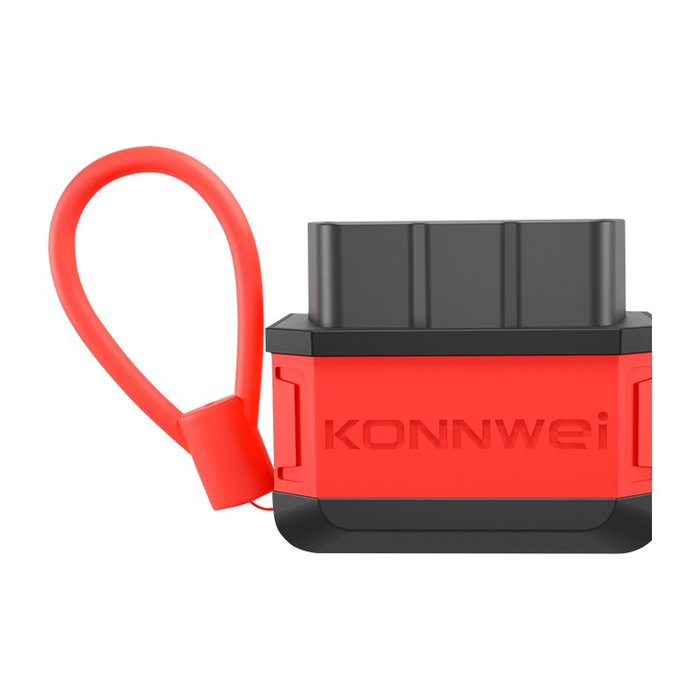 PREMIUM COMBO
Buy genuine OBD2 devices
Konnwei KW905 & KW906
Buy a diagnostic device combo bundled with lifetime PREMIUM worth 129,000₫ plus thousands of other perks.
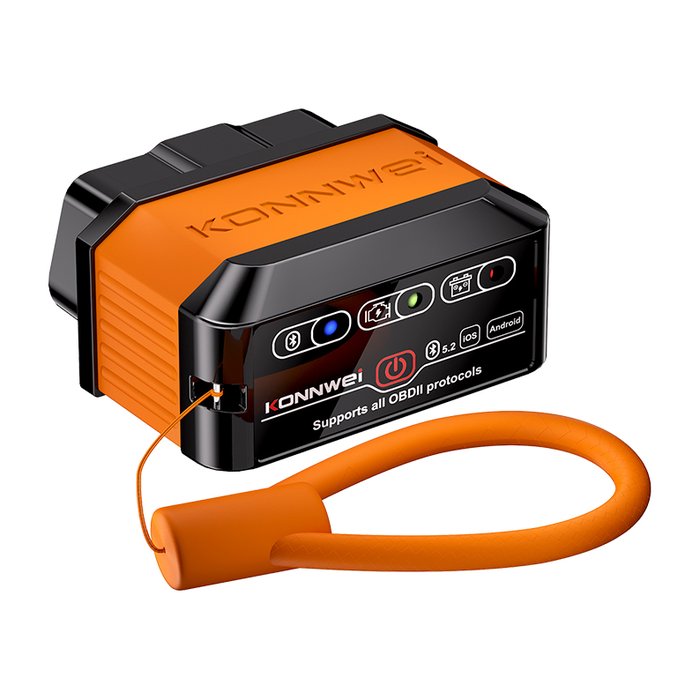
Buy genuine OBD2 devices
Konnwei KW905 & KW906
PREMIUM COMBOBuy a diagnostic device combo bundled with lifetime PREMIUM worth 129,000₫ plus thousands of other perks.
Frequently asked questions
Does OBD2 automatically update the odometer after each trip?
Where is the OBD2 port on my car?
Can EVs (VinFast and other brands) use OBD2?
Does leaving the adapter plugged in continuously cause any issues?
How does OBD2 data affect the vehicle health score?
Is the mobile app required?
Which OBD2 adapter should I buy?
Ready to upgrade?
Upgrade to Premium for long-term history and OBD2 connectivity on the mobile app.
View Premium plan