
 Tiếng Việt
 English
 日本語
日本語
Set up and use NoteDri, from A to Z
5 steps: install the app, sign in, add your vehicle, connect OBD2 (optional), log quickly, and start managing costs, maintenance, and vehicle health.
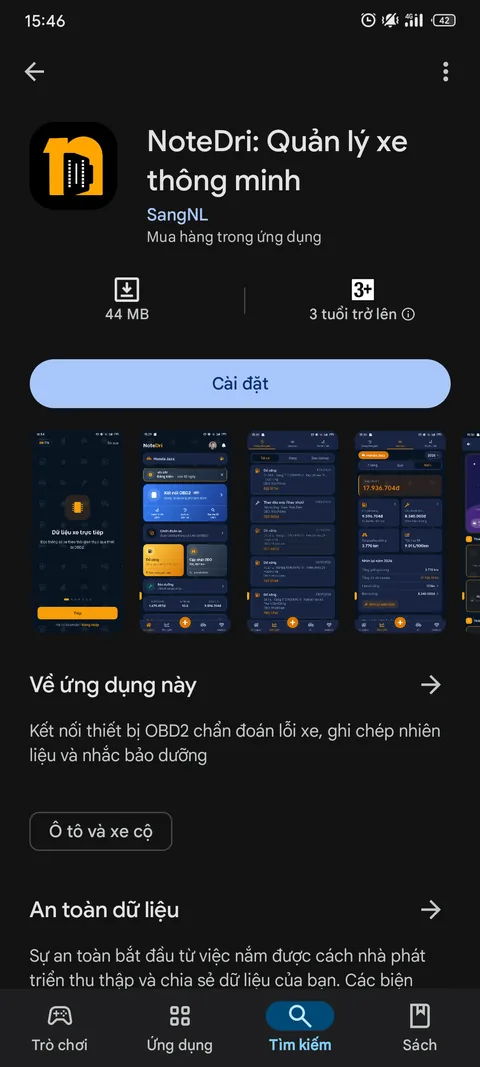

Find and download NoteDri
Search for "NoteDri" on Google Play or the App Store to download the app. Or scan the QR code below to go straight to the download page.
Find and download NoteDri
Search for "NoteDri" on Google Play or the App Store to download the app. Or scan the QR code below to go straight to the download page.

Quick sign-in
Open NoteDri and sign in with Google or Apple. No need to create or remember a separate password - your account is set up automatically the first time you use the app.
Quick sign-in
Open NoteDri and sign in with Google or Apple. No need to create or remember a separate password - your account is set up automatically the first time you use the app.
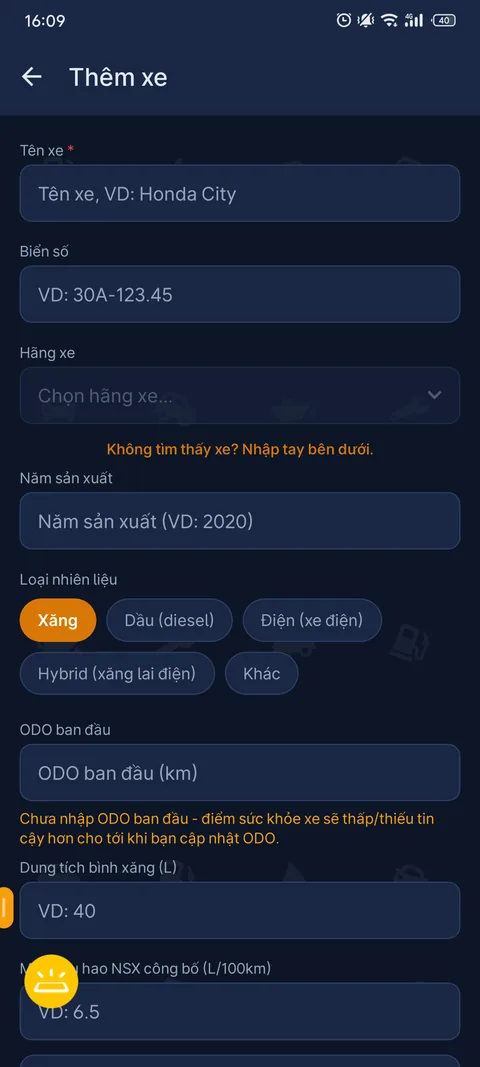
Create a vehicle profile
Enter basic details like vehicle name, make, model, year, license plate, and current ODO so NoteDri can start tracking how you use it.
Create a vehicle profile
Enter basic details like vehicle name, make, model, year, license plate, and current ODO so NoteDri can start tracking how you use it.
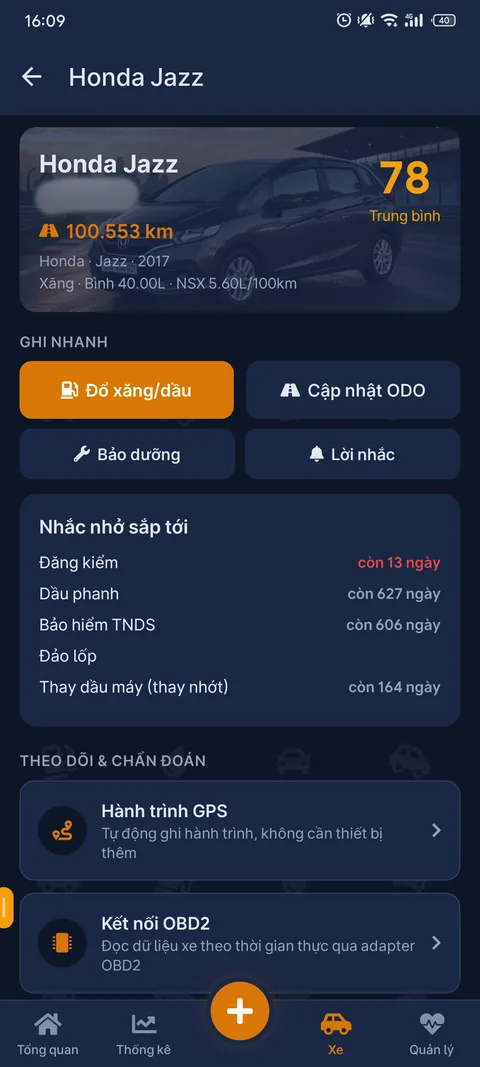
Start managing your vehicle
Once added, your vehicle appears right on the home page. From there, you can quickly log fuel, update ODO, save maintenance records, and create reminders.
Start managing your vehicle
Once added, your vehicle appears right on the home page. From there, you can quickly log fuel, update ODO, save maintenance records, and create reminders.
Get an OBD2 device ready
Use a compatible Bluetooth OBD2 adapter to connect to your vehicle. NoteDri recommends devices like the Konnwei KW902, KW905, or KW906 for a stable experience.
Get an OBD2 device ready
Use a compatible Bluetooth OBD2 adapter to connect to your vehicle. NoteDri recommends devices like the Konnwei KW902, KW905, or KW906 for a stable experience.

Connect the device to your vehicle
Plug the adapter into the 16-pin OBD2 port, usually under the dashboard near the steering wheel. Then turn on Bluetooth on your phone to get ready to connect.
Connect the device to your vehicle
Plug the adapter into the 16-pin OBD2 port, usually under the dashboard near the steering wheel. Then turn on Bluetooth on your phone to get ready to connect.

Start a diagnostic session
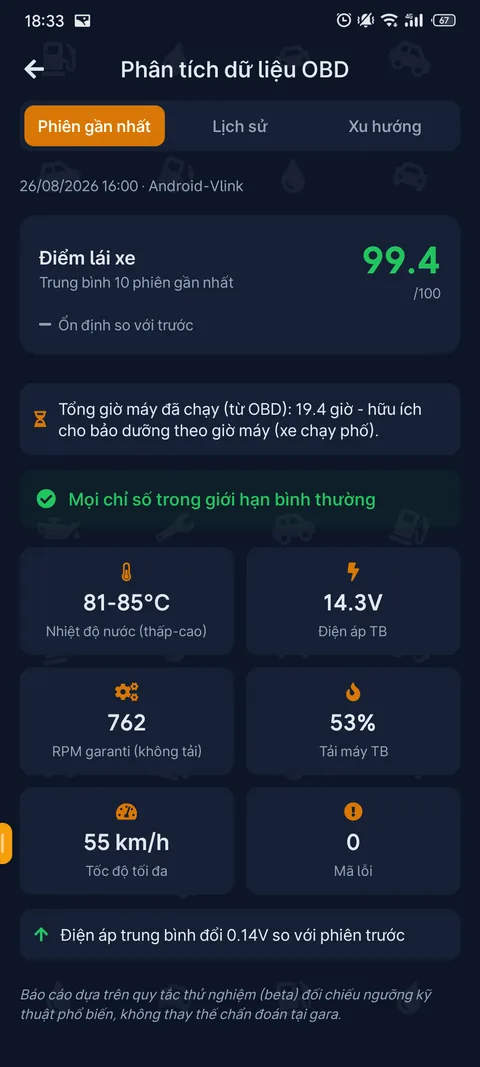
In NoteDri, choose Connect OBD2 and start a session. The app reads data from the ECU, shows live parameters, and checks any DTC error codes your vehicle reports.
Start a diagnostic session
In NoteDri, choose Connect OBD2 and start a session. The app reads data from the ECU, shows live parameters, and checks any DTC error codes your vehicle reports.
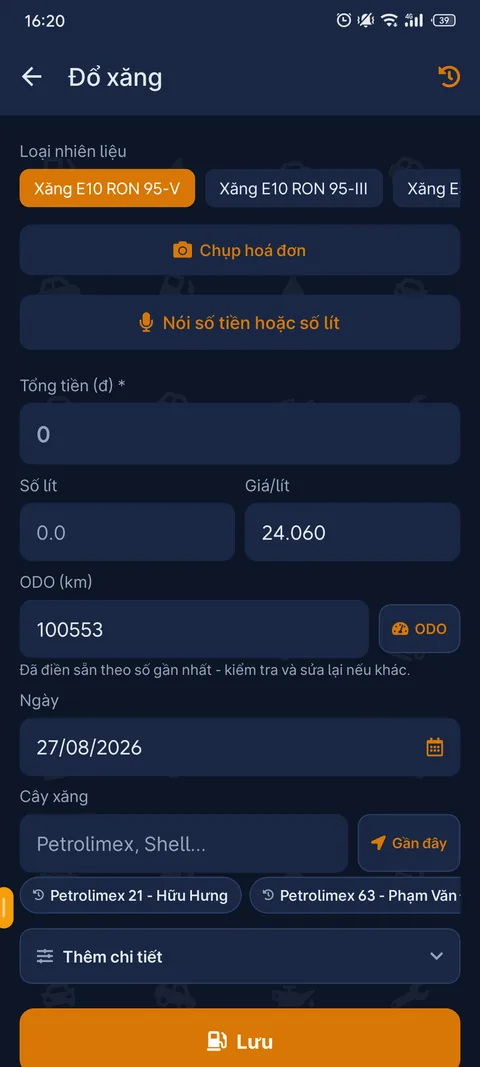
Log every refuel
Save liters, cost, and the fuel station in just a few taps. Everything is saved so you can easily review your history and fuel consumption.
Log every refuel
Save liters, cost, and the fuel station in just a few taps. Everything is saved so you can easily review your history and fuel consumption.
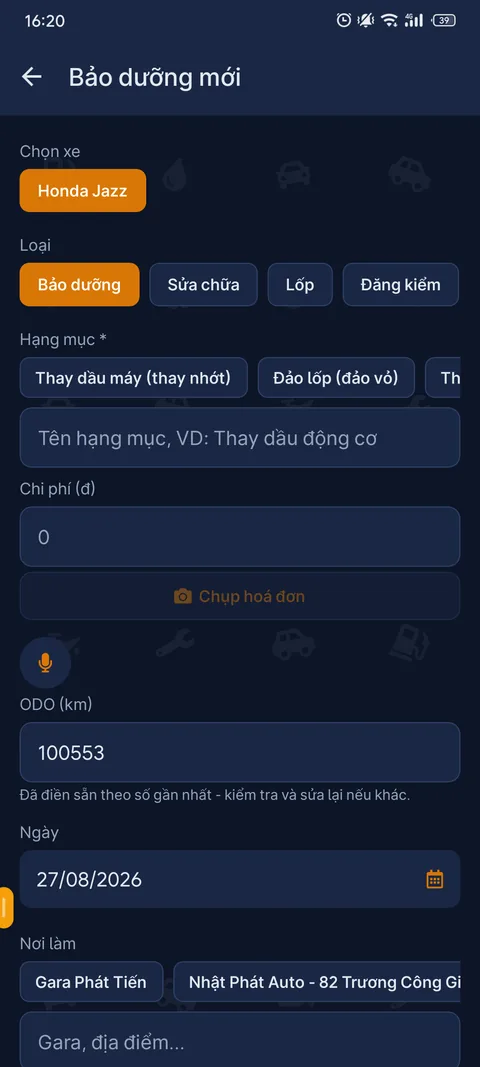
Save maintenance history
Log the service items, cost, and ODO at the time of maintenance. You can also check typical prices for extra context before using a service.
Save maintenance history
Log the service items, cost, and ODO at the time of maintenance. You can also check typical prices for extra context before using a service.
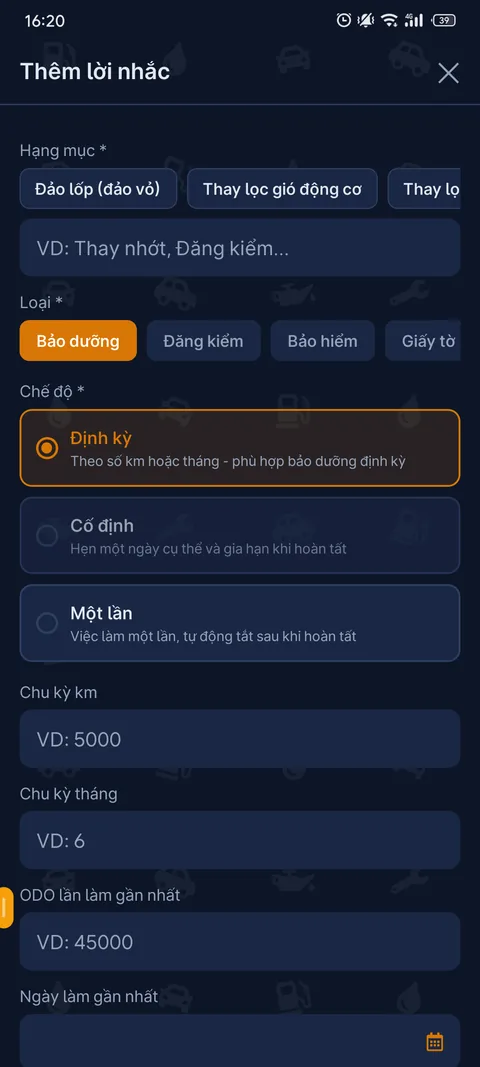
Set up reminders
Create reminders by mileage or by date so you never miss an important service milestone. You can turn on email notifications for when it's due.
Set up reminders
Create reminders by mileage or by date so you never miss an important service milestone. You can turn on email notifications for when it's due.
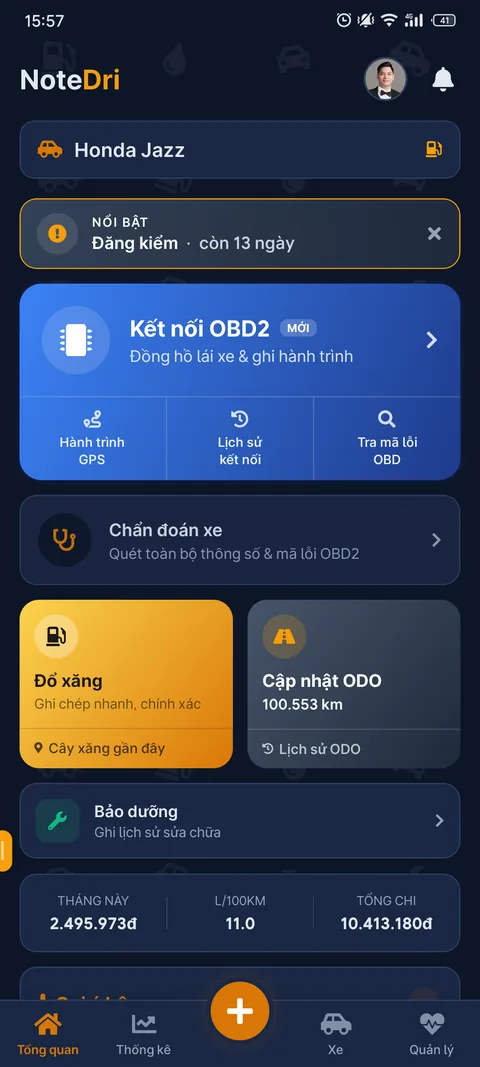
See your vehicle's status at a glance
The dashboard brings together the key information, suggestions, and things to pay attention to as soon as you open the app.
See your vehicle's status at a glance
The dashboard brings together the key information, suggestions, and things to pay attention to as soon as you open the app.
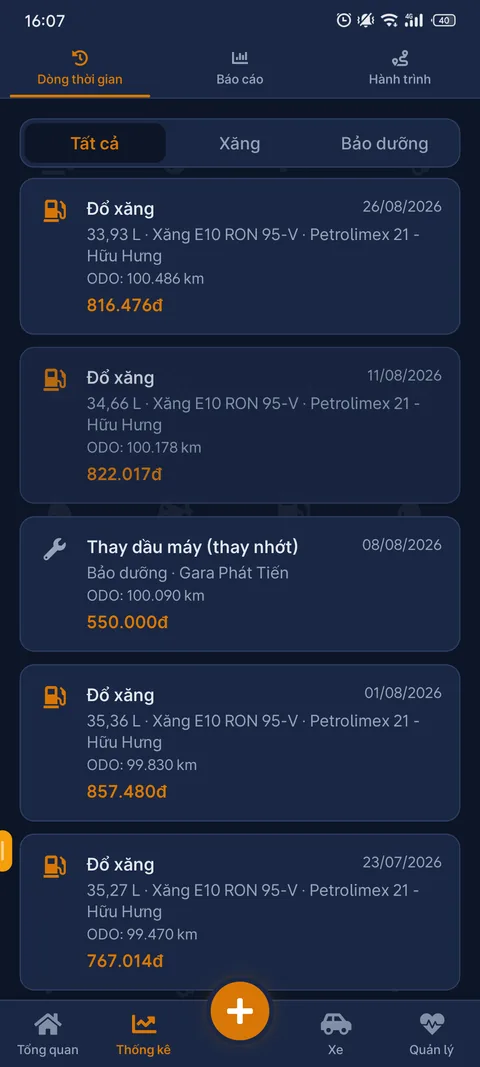
See your whole history in one place
Every activity - refuels, ODO updates, maintenance, and other events - is arranged on one unified timeline, making it easy to look back at how you've used your vehicle.
See your whole history in one place
Every activity - refuels, ODO updates, maintenance, and other events - is arranged on one unified timeline, making it easy to look back at how you've used your vehicle.
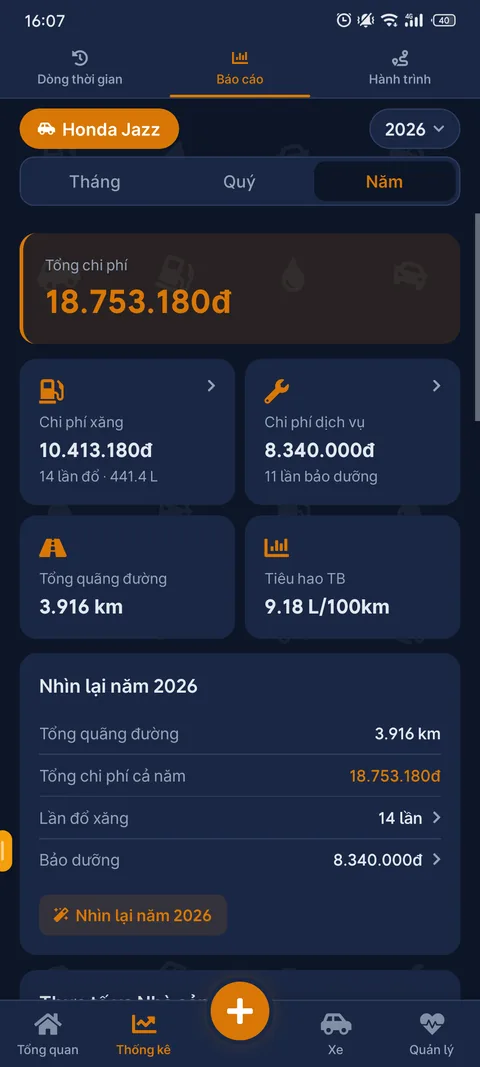
Understand your running costs
View fuel and maintenance costs, distance, and average consumption by month, quarter, or year to understand your vehicle's real running costs.
Understand your running costs
View fuel and maintenance costs, distance, and average consumption by month, quarter, or year to understand your vehicle's real running costs.
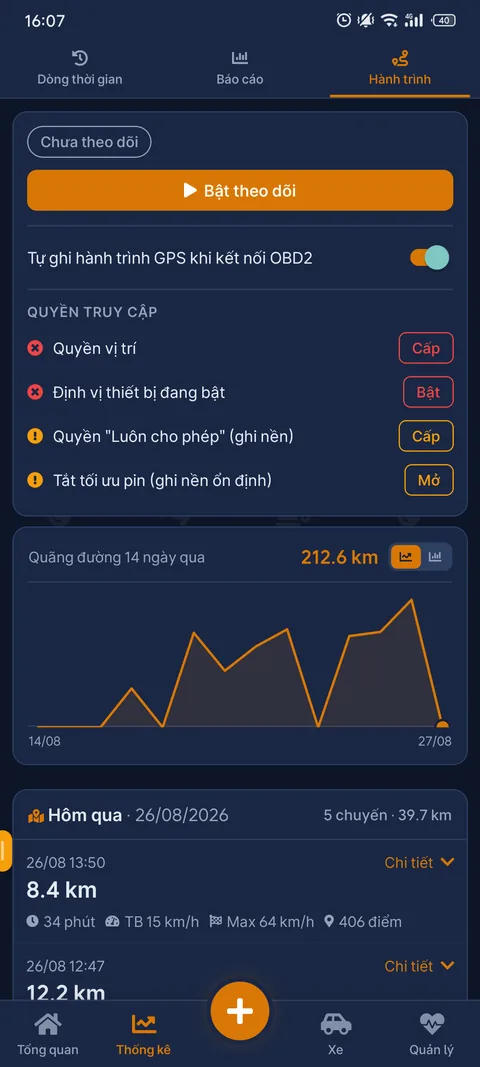
Record trips when connected to OBD2
While using an OBD2 device, NoteDri can record your GPS trips and summarize distance data, making it easier to look back at how you've been driving.
Record trips when connected to OBD2
While using an OBD2 device, NoteDri can record your GPS trips and summarize distance data, making it easier to look back at how you've been driving.
Other features




Key features
Dashboard
Vehicle overview, suggestions, and alerts that need attention - confirm or dismiss each suggestion.
Mileage (ODO)
Track mileage over time, used as the basis for calculating maintenance schedules.
Fuel
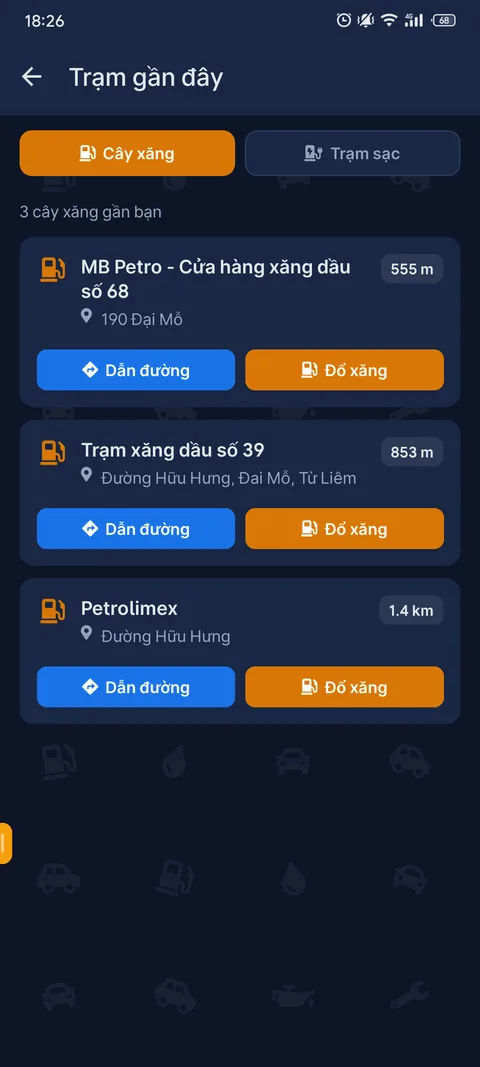
Log every refuel, keep track of consumption and cost, with suggestions for the nearest fuel station.
Maintenance
Save your maintenance history, plus a "garage cheat sheet" of average service prices so you don't get overcharged.
Reminders
Reminders for maintenance milestones by mileage or time, with optional email notifications.
Timeline
All vehicle activity (refuels, maintenance, ODO updates...) grouped into one shared timeline, easy to look back at.
Vehicle health
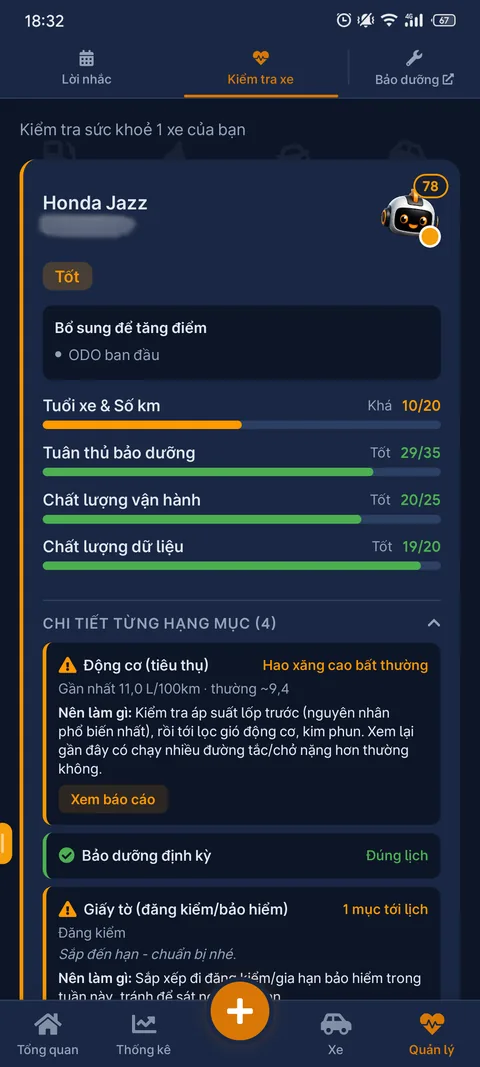
A health score combining usage data, maintenance, and (if available) OBD2 data.
Vehicle profile
Bring all your vehicle's information together on one page, with a shareable link for a garage or a buyer to view.
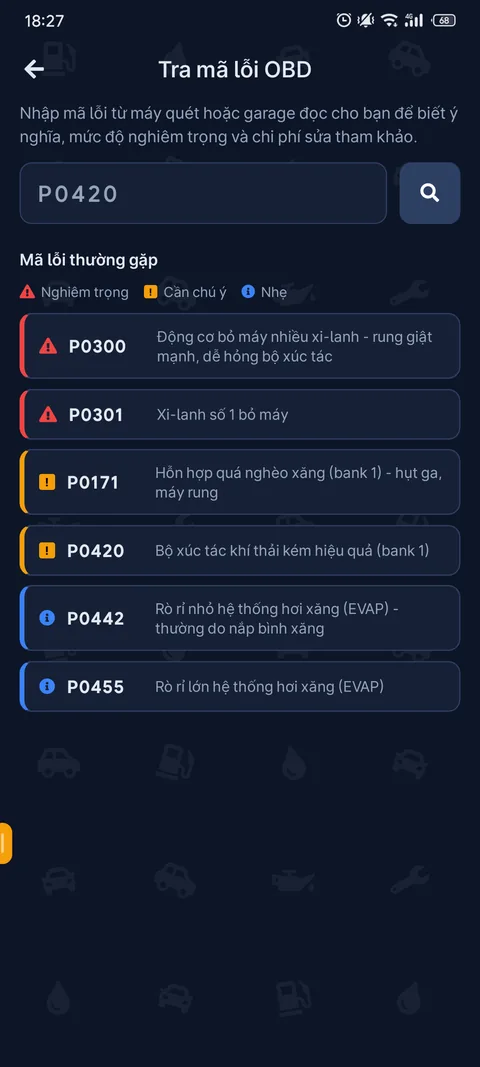
DTC code lookup
Look up what an OBD2 error code means right on the web, no sign-in needed.
Premium
Lifetime Premium unlocks unlimited vehicles, long-term history, and OBD2 connection on the mobile app.
Frequently asked questions
Is NoteDri free?
There's a free plan for managing 1 vehicle. Lifetime Premium unlocks unlimited vehicles, long-term history, and OBD2 connection.
Can I use NoteDri without an OBD2 device?
Yes. OBD2 is just an add-on feature - without a device you can still fully use ODO, fuel, maintenance, and reminders.
Does data sync between the web and the app?
Yes, as long as you sign in with the same account, data syncs between the web and the mobile app.
What if my device can't install via Google Play?
Download the APK directly from the Download APK page - for low-end devices, older Android versions, or some older Android car screens that can't sign in to Google Play. If your device can access Google Play, install via that instead so you get automatic updates.
 PREMIUM COMBO
Buy genuine OBD2 devices
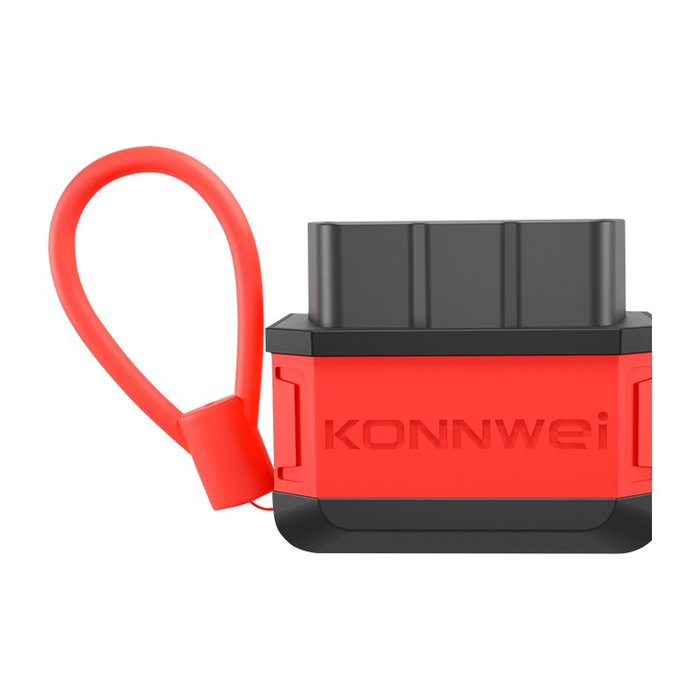
Konnwei KW905 & KW906
Buy a diagnostic device combo bundled with lifetime PREMIUM worth 129,000₫ plus thousands of other perks.
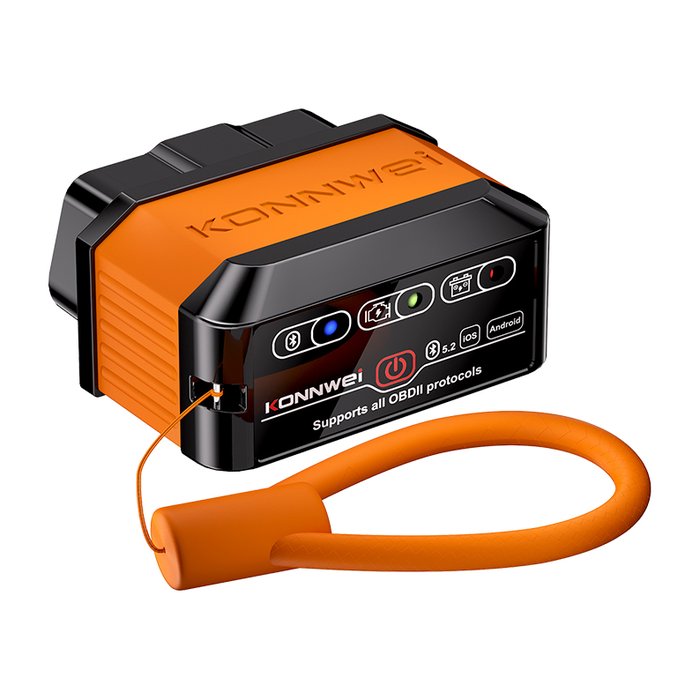
Buy genuine OBD2 devices
Konnwei KW905 & KW906
PREMIUM COMBOBuy a diagnostic device combo bundled with lifetime PREMIUM worth 129,000₫ plus thousands of other perks.
Ready to get started?
Download NoteDri and add your first vehicle in just a few minutes.
Download NoteDri now